

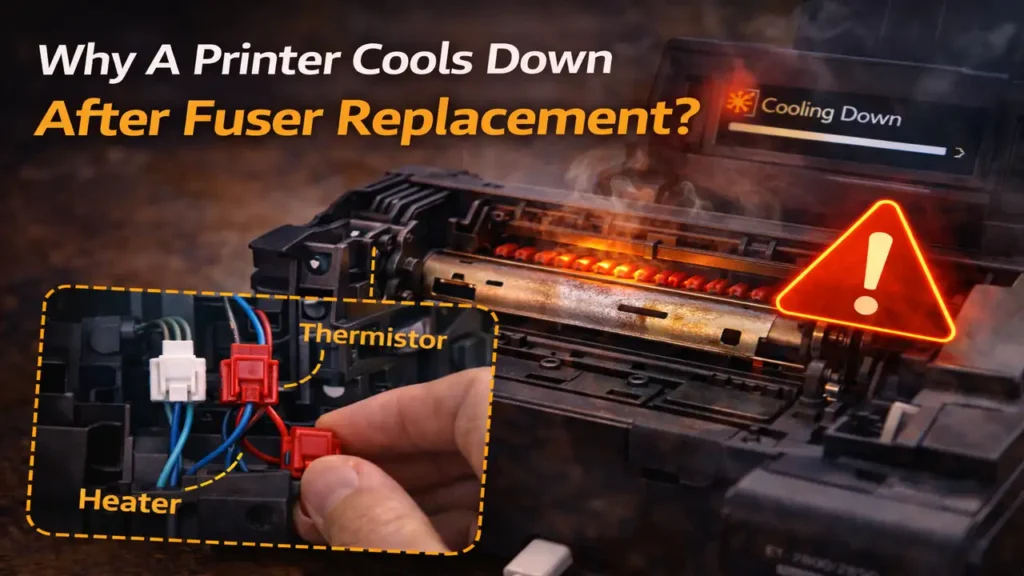
Why a Printer Cools Down After Fuser Replacement
When a printer cools down after fuser replacement, the problem is usually not the color of the wires by itself. It is much more often a sign that the printer is not seeing the heat rise or temperature feedback it expects from the fuser. That can happen if the replacement fuser is the wrong version, the thermistor is not reading correctly, the fuser is not seated fully, or a connector is matched by color instead of by position and function.
This is why a printer may run a few pages, then suddenly ask to cool down for far too long until you power it off and wait. The machine is often protecting itself because the fuser temperature is not being reported or controlled the way it should. In that situation, guessing from white, blue, or red connector colors is risky. The better approach is to verify part compatibility, connector location, and sensor routing in a disciplined way.
Why the connector colors can be misleading
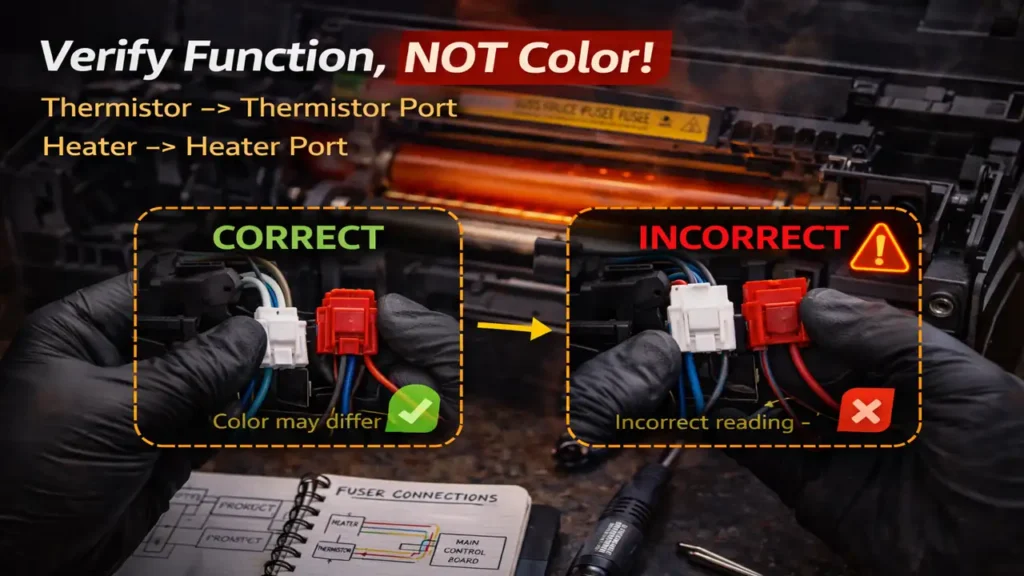
A connector color change does not automatically mean the new fuser is wrong or that the wires are reversed. Replacement parts often come from later revisions, alternate suppliers, or updated harness runs. In printer service documentation, harness colors can change between old and new assemblies, so color alone is not a reliable wiring map.
That means white-on-white and red-on-blue is not automatically incorrect, and white-on-white and white-on-blue is not automatically correct either. The real question is whether the connector is going to the right board port and the right circuit function.
If the connectors are keyed differently, routed to specific lengths, or designed to fit only one location, that matters more than the insulation color. But if two small connectors can physically be swapped, then relying on color memory alone is not enough. In that case, you need the service manual, the original fuser reference, or a verified pinout before assuming the new color pattern matches the old one.
What the endless cooldown is really telling you
When a printer cools down after fuser replacement, that usually points to a temperature control problem, not a cosmetic harness difference. The printer expects the fuser to warm up in a certain way and to report that temperature through the thermistor or temperature-sensing path. If that reading is wrong, unstable, missing, or out of range, the machine may stop printing and remain in a prolonged cool-down or warm-up state.
In practical terms, that often means one of these things:
- the thermistor is not contacting the roller correctly
- the thermistor connector is loose, misrouted, or connected to the wrong place
- the fuser is not seated fully
- the replacement fuser is incompatible even if it physically fits
- the heater or temperature-sensing circuit is not behaving like the original part
- the printer is detecting a low-temperature or warm-up fault and refusing to continue safely
That is why the symptom matters more than the colors. If the machine prints only a few blank pages and then falls into indefinite cooling, the printer is telling you the new fuser setup is not being read or controlled normally.
Why color matching is the wrong rule
A lot of technicians understandably trust color because it is fast and visual. But with a replacement fuser, color should be treated as a clue, not as the rule. The rule is always function.
A white connector on the old fuser does not guarantee that the new white connector serves the same signal path, especially if the supplier revised the harness colors. A red wire going to a blue board port may be completely normal if the replacement part uses a different color scheme.
So if a printer cools down after fuser replacement, do not rewire it just to make the colors “look right.” That can make the problem worse. Instead, identify:
- the exact board port for the heater lamp
- the exact board port for the thermistor or temperature sensor
- the exact replacement part number and voltage rating
- whether the new fuser is meant for your printer model and regional power version
That is the safe way to confirm whether anything is actually backwards.
What to check before assuming the connectors are reversed
The first check is compatibility. Make sure the replacement fuser is the correct assembly for the printer model, sub-model, and voltage region. A physically similar fuser can still behave incorrectly if it is not the right electrical version.
The second check is seating. A fuser that is not fully locked into place can create temperature-reading problems or poor contact through its connector path. If the printer expects the fuser to be fully engaged and it is slightly out of position, strange cooldown behavior can follow.
The third check is the thermistor path itself. The thermistor must sit correctly against the heat surface it is supposed to monitor. If it is dirty, lifted, damaged, misaligned, or not pressing correctly, the printer may believe the fuser is not reaching temperature even when the heater is active.
The fourth check is connector function, not color. Follow the board labels, the harness routing, the connector keying, and the service documentation. If one port is for the heater lamp and another is for the thermistor, they must be matched by circuit identity, not by red, blue, or white insulation.
When the connectors really might be wrong
There is one situation where your suspicion becomes more serious. If the two small fuser-related connectors are physically interchangeable and the replacement fuser harness can be crossed without resistance, then yes, a wrong connection is possible.
In that case, the symptom of a printer cools down after fuser replacement becomes more meaningful. A crossed thermistor or heater-related connection can absolutely create abnormal temperature behavior. But the correct fix is still not to guess from colors. The correct fix is to stop printing and verify the connector assignment against the proper diagram or original fuser layout.
If you no longer have the old unit in place, compare connector shape, cable length, routing direction, and board silkscreen labels. Those are safer references than color.
The smartest next step
If the printer worked normally before the fuser replacement and the endless cooling started immediately after the new unit went in, the replacement path is the center of the problem until proven otherwise.
So the smartest sequence is simple:
- Power the printer off and let the fuser cool completely.
- Confirm the replacement fuser part number and voltage rating.
- Reseat the fuser fully and inspect the connector engagement carefully.
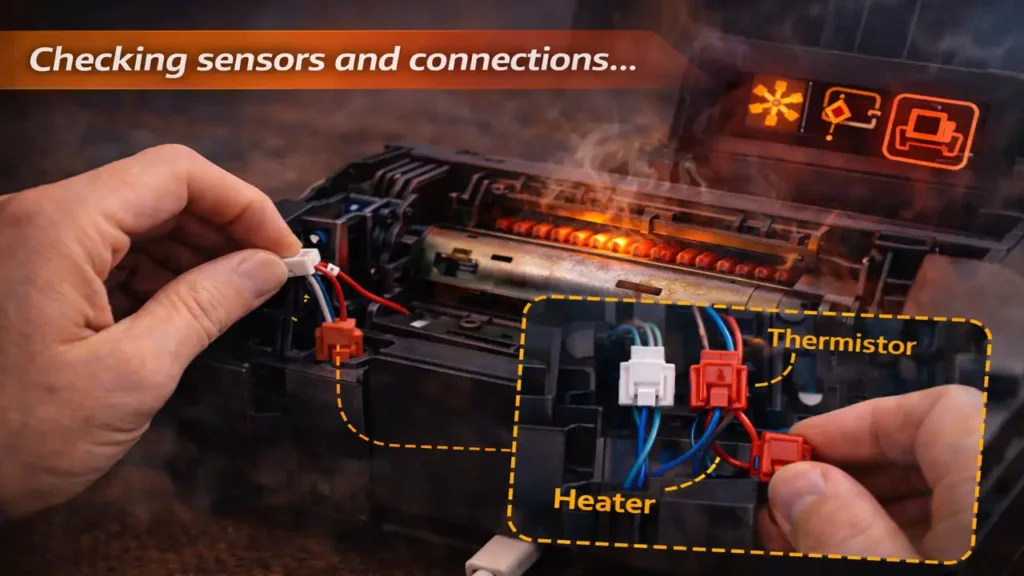
- Verify heater and thermistor connections by port function, not by color.
- Inspect thermistor placement and harness routing.
- Test again with a very short print only after those checks are complete.
If the problem remains, stop there. Repeated printing with a suspect fuser setup is not a good idea. At that point, the safest conclusion is that the new fuser is incompatible, miswired, defective, or not reporting temperature correctly.
Frequently Asked Questions
If a printer cools down after fuser replacement, the safest assumption is not that red should go where blue used to go. The safer assumption is that the printer is unhappy with the temperature-control path, and that you need to verify the exact fuser, the exact connector function, and the exact seating before printing again.