
web analytics
Shadow

Tag: paper jam

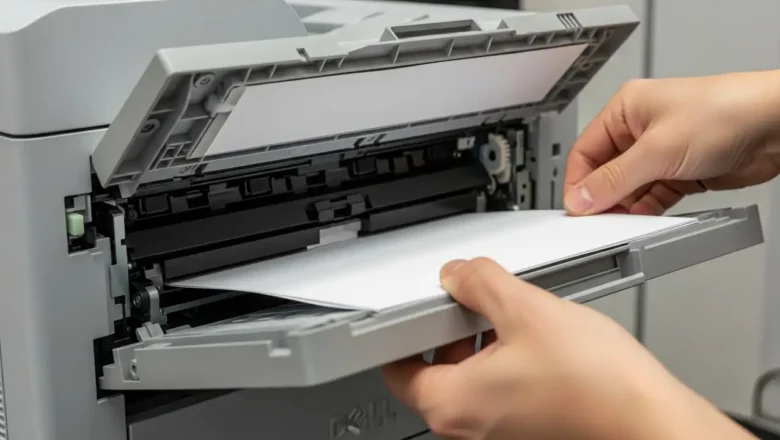
Dell C2660dn paper jam: Fix Error 050-12x in Duplex Unit

Dell C2660dn paper jam: Fix Error 050-12x in Duplex Unit

Blog, REPAIR PRINTER
Fix a Dell C2660dn paper jam and Error Code 050-12x Experiencing a Dell C2660dn paper jam, especially with an accompanying 050-12x error code, frequently indicates an issue within the duplex unit. This guide provides actionable steps to diagnose and resolve paper obstructions in your Dell C2660dn printer, helping you restore normal operation. When your Dell C2660dn displays the 050-12x error, it signals that paper has become stuck or misfed, particularly during two-sided printing operations. Addressing this promptly can prevent further damage to the printer’s internal mechanisms and ensure print quality. This comprehensive troubleshooting process will walk you through essential safety precautions, effective methods for clearing existing jams, and practical prevention tips to minimiz...
Why Your Printer Keeps Jamming — and How to Fix It for Good

Why Your Printer Keeps Jamming — and How to Fix It for Good

Blog
Have you ever found yourself in a rush to print something important, only to be halted by a stubborn paper jam? You're not alone. One of the most common issues with printers is that they keep jamming, frustrating users at home and in offices around the world. In this article, we’ll explain why your printer keeps jamming, how to fix it, and how to prevent it from happening again. 🛠️ What Causes a Printer to Keep Jamming? Several common causes lead to printer jams: 1. Poor-Quality Paper Low-grade or damp paper can easily get stuck inside the printer. Always use fresh, high-quality paper that matches your printer’s specs. 2. Overfilled Paper Tray Overstuffing the paper tray can cause multiple sheets to feed at once, leading to jams. 3. Worn-out Rollers The rollers that feed p...
🚫
AdBlock Detected!
It looks like you're using an AdBlock extension.
Ads help us provide free, high-quality content.
Please disable your AdBlocker for this website and refresh the page.

How to disable AdBlock:

  1. Click the AdBlock icon in your browser toolbar.
  2. Select "Don't run on this site" or "Pause on this site".
  3. Reload the page using the button below or press F5.
  4. If you still see this message, try temporarily disabling all ad-blocking extensions.