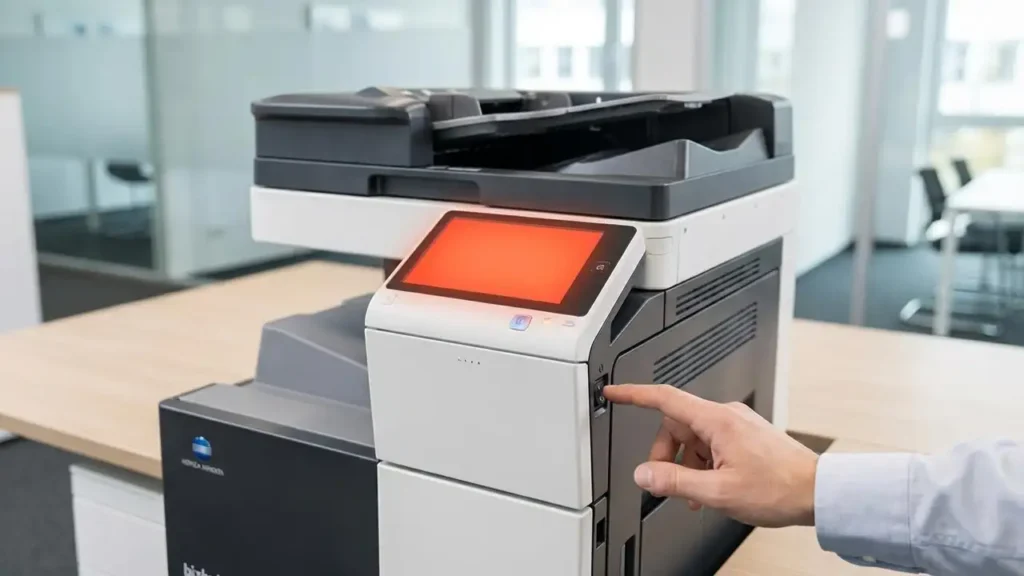
Fix Konica Minolta Error Code C3425 Quickly
Resolve fuser unit temperature issues on your bizhub printer with simple steps.
Encountering an error code C3425 on your Konica Minolta bizhub printer can bring printing operations to a halt, often displaying a clear message on the control panel. This specific code typically indicates a temperature abnormality within the fuser unit, a critical component responsible for bonding toner to paper. When this error appears, your printer will usually stop all jobs to prevent potential damage.
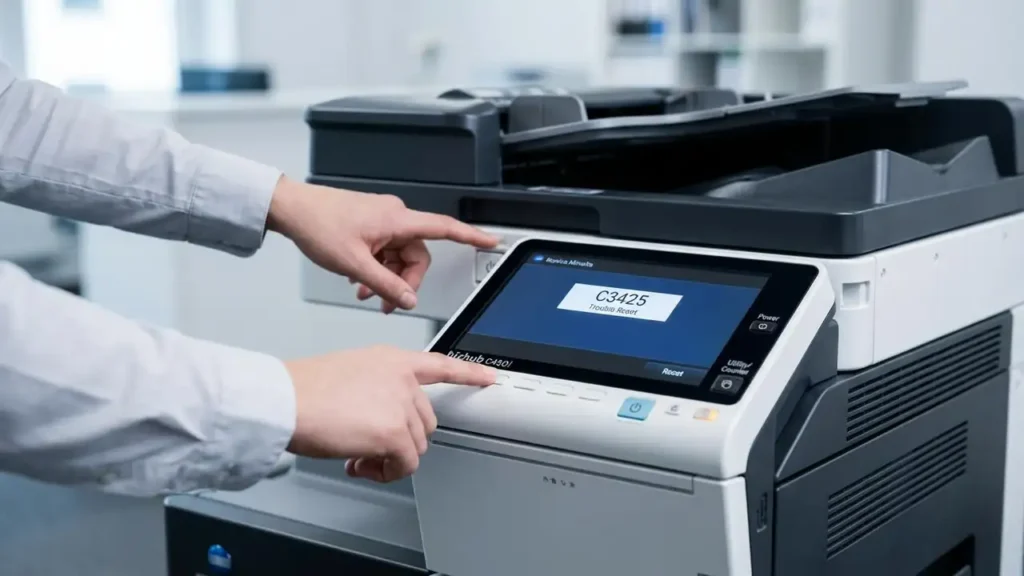
Fortunately, many instances of this common fuser temperature error can be resolved with a simple Konica Minolta trouble reset procedure. This guide will walk you through the necessary steps to clear the error code C3425 and get your bizhub device back to full functionality. We’ll also cover potential underlying causes if the problem persists, helping you diagnose the issue more effectively.
Understanding Konica Minolta Bizhub Error C3425
The error code C3425 on a Konica Minolta bizhub machine points to a malfunction in the fuser unit’s heating system. The fuser unit uses heat and pressure to melt toner onto the page, making the print permanent. For this process to work correctly, the fuser must maintain a very precise temperature.
When the printer detects that the fuser’s temperature is either too high or, more commonly, not reaching the required operating temperature within a specified timeframe, it triggers the error code C3425. This safety mechanism prevents poor print quality or damage to the fuser unit itself. A temporary glitch, a loose connection, or a worn-out component can all contribute to this error appearing.
Step-by-Step Trouble Reset Procedure for Bizhub
Performing a Konica Minolta trouble reset is often the first and most effective step to clear the error code C3425. This procedure helps to clear the printer’s internal error log and can resolve temporary sensor or heating element glitches. Follow these steps carefully to ensure a successful reset:
- Locate the Main Power Switch: Start by turning off your Konica Minolta bizhub machine. The main power switch is usually located on the side or back of the printer. Ensure it is fully in the OFF position.
- Access the Control Panel: With the machine off, press and hold the [Utility/Counter] button on your bizhub’s control panel. Keep this button held down throughout the next step.
- Power On While Holding: While still holding the [Utility/Counter] button, turn the main power switch back ON. Continue to hold the button firmly.
- Wait for the Specific Screen: Keep holding the [Utility/Counter] button until a unique screen appears on the control panel. This screen often displays options like “Trouble Reset” or might simply show a black dot in the corner, indicating a service menu entry.
- Execute the Trouble Reset: Once the appropriate screen appears, release the [Utility/Counter] button. On the touch screen, you should now see and be able to press the [Trouble Reset] button. Press it firmly.
- Confirm the Reset: After pressing [Trouble Reset], the screen should display “OK” or a similar confirmation message, indicating that the error log has been cleared.
- Final Power Cycle: Turn off the machine again using the main power switch. Wait for approximately 10 to 15 seconds to allow all internal components to completely power down and reset.
- Restart Normally: Finally, turn the machine back on using the main power switch as you normally would. Monitor the control panel to see if the error code C3425 has been cleared and if the printer proceeds to its ready state.
If the printer powers on without immediately displaying the error code C3425, try printing a test page or a small job to confirm full functionality. Sometimes, the printer may need a few minutes to fully warm up its fuser unit after a reset.
Common Causes if Error Code C3425 Persists
If the error code C3425 reappears immediately after performing the Konica Minolta trouble reset, it indicates a more persistent underlying issue with the fuser unit. Several factors can cause this temperature problem, requiring further investigation:
Fuser Unit Incorrectly Installed
The fuser unit is a replaceable component, and if it’s not seated correctly, its electrical contacts or alignment might be off. This can prevent it from heating up properly or communicating its status to the main board. Always verify that the fuser unit is securely clicked into place, with no gaps or loose connections visible. Refer to your bizhub model’s user manual for specific instructions on checking or reinstalling the fuser.
Faulty or Dirty Temperature Sensor (TEMS2)
Within the fuser unit, a temperature sensor (often labeled TEMS2) monitors the heat. If this sensor becomes dirty, covered in toner dust, or is physically damaged, it may provide inaccurate temperature readings or fail to detect the temperature rise at all. This would cause the printer to believe the fuser is not heating correctly, triggering the error code C3425. Cleaning around the sensor with a soft, lint-free cloth (after ensuring the fuser is completely cool and unplugged) might help, but a faulty sensor often requires replacement of the entire fuser unit.
Electrical Connection Issues
The fuser unit relies on stable electrical connections to receive power for heating and to transmit temperature data. Check the connectors between the fuser unit and the printer’s main control board (often referred to as the PRCB, or Printer Control Board). Loose, corroded, or damaged cables can interrupt these vital communications. While checking external connections is feasible, inspecting internal board connections should typically be left to a qualified technician to avoid further damage.
Safety and When to Call a Technician
Attempting to fix printer issues always requires caution. Before performing any checks or opening panels, always turn off and unplug your Konica Minolta bizhub printer from the wall outlet. The fuser unit, in particular, can become extremely hot during operation and remain hot for a while after being turned off. Allow ample time for it to cool down before touching it. Avoid direct contact with sensitive components like the heating roller or the pressure roller, as oils from your skin can cause print quality issues.
Opening up your Konica Minolta bizhub printer or attempting repairs beyond simple component checks may void your warranty. If the error code C3425 persists after multiple Konica Minolta trouble reset attempts and visual inspections, or if you suspect a damaged fuser unit or internal electrical fault, it’s highly recommended to contact a certified Konica Minolta support technician. They have the specialized tools and expertise to diagnose and safely replace faulty components, ensuring your device operates reliably.
FAQs on Fixing Bizhub Error C3425
Successfully dealing with a Konica Minolta bizhub error C3425 can be frustrating, but many users find resolution through the simple Konica Minolta trouble reset procedure. By understanding the common causes and following the outlined steps, you can often restore your printer’s functionality without professional intervention. Remember to prioritize safety and know when it’s time to call in the experts for more complex issues.