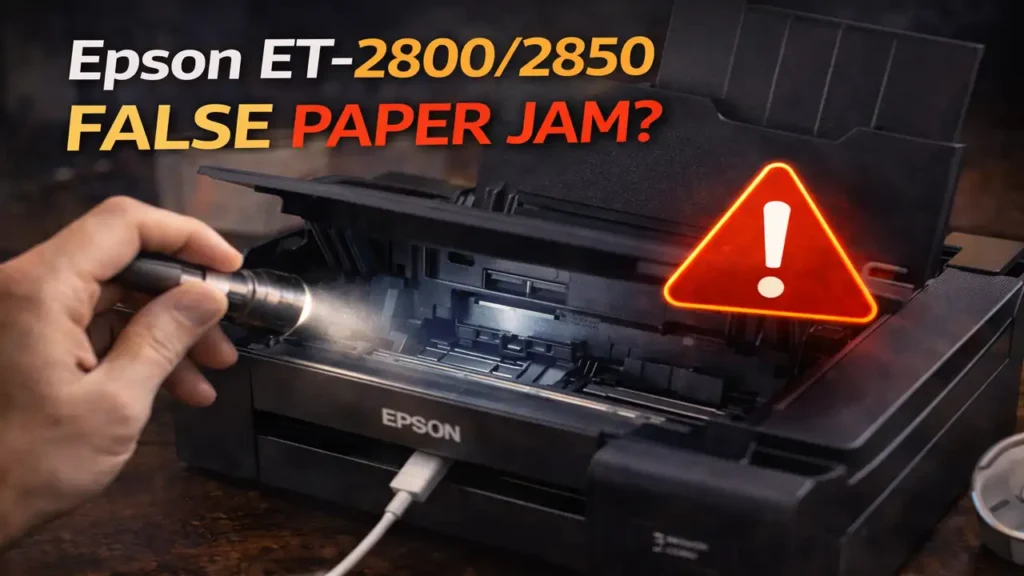
Epson ET-2800/2850 False Paper Jam
An Epson ET-2800/2850 false paper jam can be one of the most annoying printer problems because the machine insists something is wrong even when the paper path looks clean. You clear the rollers, check for scraps, restart the printer, run cleaning sheets, and still get a paper jam or paper out message that does not match what you see.
That usually means the problem is no longer the obvious kind of jam. On this Epson EcoTank series, a repeated false jam or no-paper warning often points to a paper-feed detection issue, a loading problem that keeps repeating, a guide alignment problem, unsuitable paper, or a feed-path part that is not returning to its normal position the way it should.
Why this error feels misleading
What makes this issue frustrating is that the printer may not be “wrong” in a simple sense. It is often reacting to something subtle. The printer does not just detect a full sheet stuck in the path. It also watches how paper enters, how resistance changes, and whether the feed path behaves the way it expects.
So when an Epson ET-2800/2850 false paper jam keeps appearing, the machine may be seeing delayed paper pickup, poor paper alignment, excess drag, repeated misfeeds, or a sensing part that is moving but not resetting properly. That is why the printer can report paper out or paper jam even when there is no dramatic blockage inside.
Start with the rear paper feeder, not the print head
Many users waste time on print-head cleaning because it feels like a general reset step. For this problem, that is usually the wrong area to focus on. The more useful place is the rear paper feeder and the first part of the feed path.
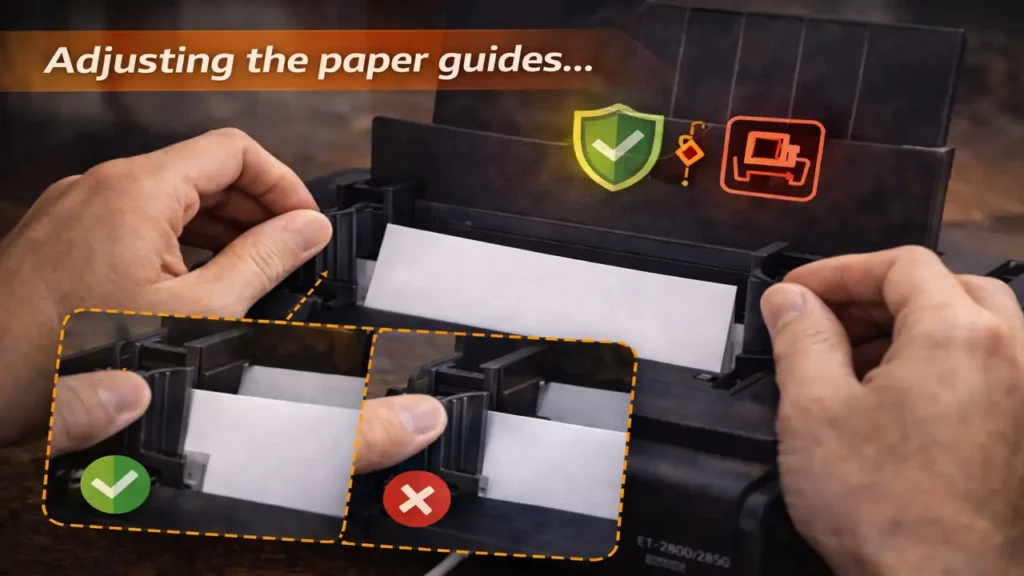
These Epson models rely heavily on correct rear loading. The paper should be centered properly, the edge guides should rest snugly against the stack, and the stack should not exceed the marked limit. If the guides are too loose, the paper can shift. If they are too tight, the paper may not advance smoothly. In both cases, the printer can behave as if paper is missing or jammed even though the sheet is technically present.
It is also worth removing the entire stack, fanning the sheets lightly, and reloading only a few clean sheets. Old, curled, damp, very thin, or unusually slick paper can create repeated feed confusion that looks like a sensor problem when it is really a paper-handling problem.
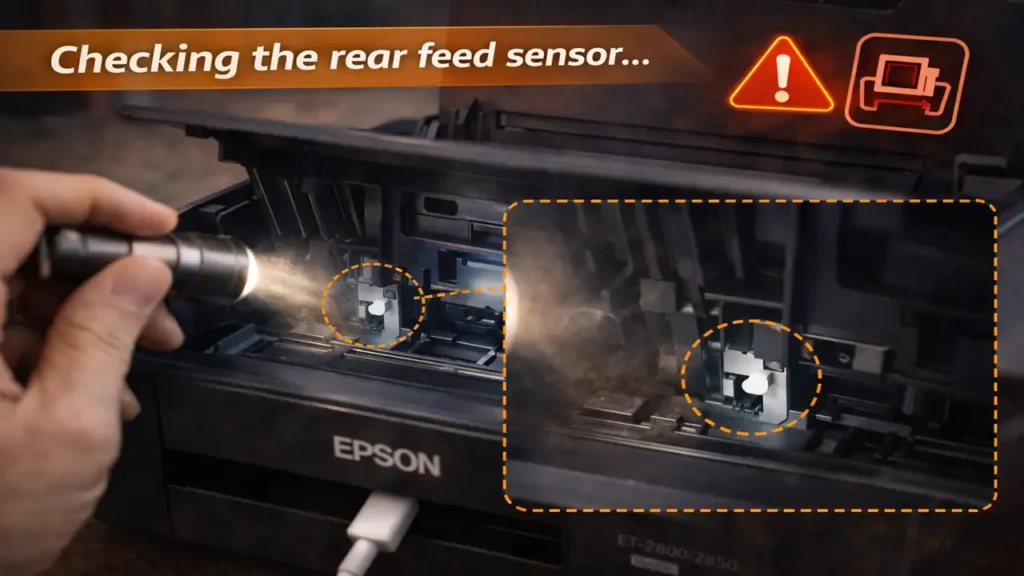
The rear feed sensor area deserves a closer look
If you have already cleaned the rollers and run the usual maintenance steps, the next smart check is the rear feed sensing area. This is where an Epson ET-2800/2850 false paper jam often becomes more mechanical than cosmetic.
Use a flashlight and inspect the rear feed path carefully. Look for tiny scraps of paper, label residue, dust buildup, or a small plastic piece that seems stuck or slow to move back into place. Even a very small obstruction can interfere with how the printer detects paper presence or movement.
A lot of stubborn cases come from a tiny feed-related flap or actuator not moving freely. It may not be broken enough to look obviously damaged, but it may be sticky, slightly out of line, or slow to spring back. When that happens, the printer can misread the situation and throw a jam or no-paper message even though the path appears clear.
The important point here is gentle inspection. You are checking for free movement and visible debris, not forcing anything deeper inside the machine.
Why paper guides and paper type matter more than they seem
This part is easy to underestimate. Many printers tolerate sloppy loading better than this series does. With the ET-2800 and ET-2850, the way paper sits in the rear feeder matters more than many users expect.
The guides should touch the paper lightly without squeezing it. The stack should sit straight and centered. The paper itself should be flat, dry, and within normal plain-paper range. If you are using a very bright, very thin, heavily textured, or slightly curled batch, it can create inconsistent pickup behavior.
That is why changing the paper can sometimes fix an Epson ET-2800/2850 false paper jam even when nothing else changes. The printer may not have a true mechanical failure at all. It may simply be reacting badly to the way that specific stack feeds into the path.
If the issue appears mostly with one pack or brand of paper, that clue matters. A fresh stack of plain, flat paper is one of the simplest serious tests you can do.
When the problem is not the jam, but the feed sequence
Some recurring jam errors are really feed-sequence errors. The printer expects paper to arrive at a certain moment and move through the path in a consistent way. If it picks up late, slips, enters slightly skewed, or stalls near the start, the firmware may treat that as paper out or jam even without a visible obstruction.
That is why reloading paper in the center of the feeder and reducing the number of sheets can help. It removes small alignment and drag problems that are easy to miss by eye. It also explains why the machine may work once or twice and then fail again. The problem may depend on how the top sheet enters each time rather than on a permanent hard blockage.
In other words, a recurring Epson ET-2800/2850 false paper jam is often a consistency problem, not a total failure.
What to do if the error keeps returning
If you have already done the obvious cleaning and the issue still returns, the most useful next sequence is simple.
First, unload the paper completely and inspect the rear feeder with good light. Then reload only a few sheets of clean plain paper, centered properly, with the guides adjusted correctly. After that, test again.
If the error remains, watch whether the paper is being picked up at all, whether it starts to move and stops, or whether the printer immediately throws the message before a real feed attempt. That behavior tells you a lot. A failed pickup points more toward feed alignment, rollers, or paper condition. A very early false warning points more toward sensing or a small mechanical flag not resetting correctly.
If the printer continues to report a jam or paper out condition with no visible obstruction after restart and careful reloading, the problem may have moved beyond normal home maintenance. At that point, the more realistic issue may be a worn feed component or a sensor-related hardware fault that needs deeper service.
When to stop trying random fixes
The biggest mistake with this problem is trying unrelated maintenance steps again and again. Cleaning the print head, running repeated software cleanups, or endlessly rebooting the printer usually will not solve an Epson ET-2800/2850 false paper jam if the real cause is in the feed path.
A better approach is to stay narrow. Focus on rear loading, guide pressure, paper condition, tiny debris, and the free movement of feed-related plastic parts in the rear path. If those checks do not change the behavior, further random cleaning usually adds effort without adding insight.
That is the point where support or repair becomes more reasonable than repetition.
Frequently Asked Questions
An Epson ET-2800/2850 false paper jam is difficult mainly because it looks like a simple jam when it often is not. Once you stop treating it like a normal blockage and start checking the rear feed path, guides, paper condition, and sensing movement more carefully, the pattern usually becomes much easier to understand.