
web analytics
Shadow

REFILL TONER

How to refill toner cartridge hp 12a — complete step-by-step guide (Q2612A)

How to refill toner cartridge hp 12a — complete step-by-step guide (Q2612A)

REFILL TONER
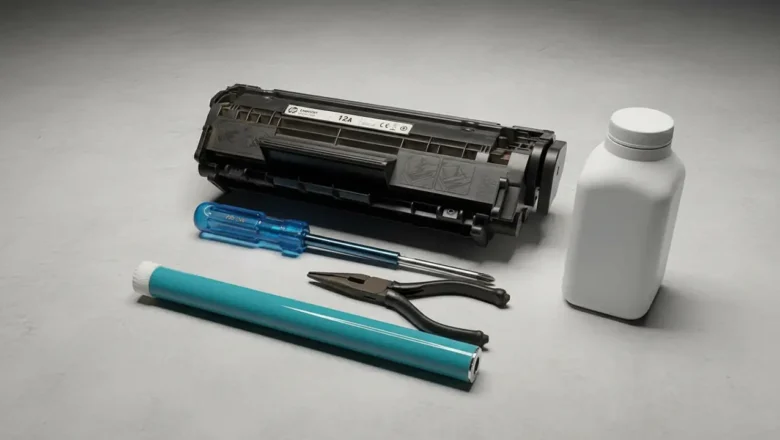
How to refill toner cartridge hp 12a — clean, reliable method How to refill toner cartridge hp 12a is the fastest way to cut printing costs on popular HP mono lasers without sacrificing quality. The HP 12A (Q2612A) cartridge is used across models like LaserJet 1010/1012/1018/1020/1022/3015/3020/3030/3050/3052/3055 and M1005 MFP, and it can be refilled successfully if you follow a careful, repeatable process. This guide consolidates best practices—tools, disassembly, cleaning, refill, reassembly, and post-refill testing—so you get crisp text with minimal mess and zero leaks. What you’ll need HP-compatible Q2612A toner powder (good formulation matters). Small Phillips screwdriver; flat plastic spudger. Needle-nose pliers and/or pin punch (for the side pins). L...
How to refill hp 17a toner cartridge — safe, step-by-step guide (CF217A)

How to refill hp 17a toner cartridge — safe, step-by-step guide (CF217A)

REFILL TONER
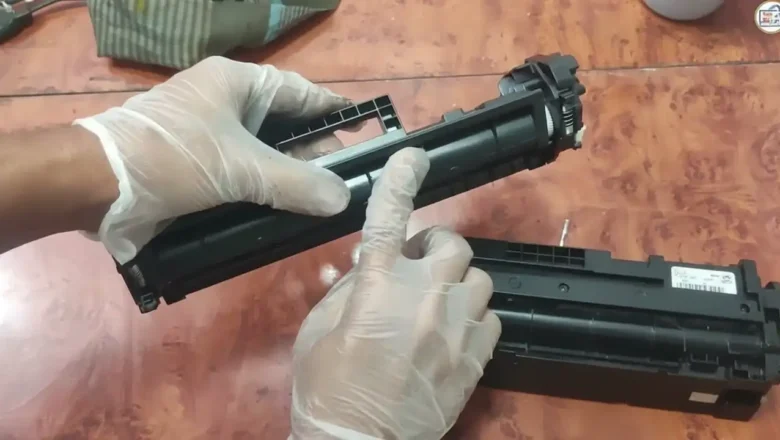
How to refill hp 17a toner cartridge is a frequent task for owners of HP LaserJet Pro M102-series printers who want to cut running costs without sacrificing print quality. This guide walks you through a clean, repeatable refill process for the HP 17A (CF217A) toner cartridge, explains what tools you need, how to avoid leaks, and what to do after refilling (cleaning, sealing, and chip replacement). You’ll also find troubleshooting tips for light prints, gray background, and streaks, plus safety notes to keep your device and workspace protected. What you’re working with (models & specs) The HP LaserJet Pro M102 engine is a 23-ppm, 600-DPI mono design (enhanced to 1200 DPI with HP FastRes). Unlike older HP “all-in-one” cartridges, this platform separates toner (CF217A / 17A) from the ...
🚫
AdBlock Detected!
It looks like you're using an AdBlock extension.
Ads help us provide free, high-quality content.
Please disable your AdBlocker for this website and refresh the page.

How to disable AdBlock:

  1. Click the AdBlock icon in your browser toolbar.
  2. Select "Don't run on this site" or "Pause on this site".
  3. Reload the page using the button below or press F5.
  4. If you still see this message, try temporarily disabling all ad-blocking extensions.