web analytics
Shadow

RESET PRINTER

how to reset brother tn650: Clear “Toner Low” and Keep Printing

how to reset brother tn650: Clear “Toner Low” and Keep Printing

RESET PRINTER
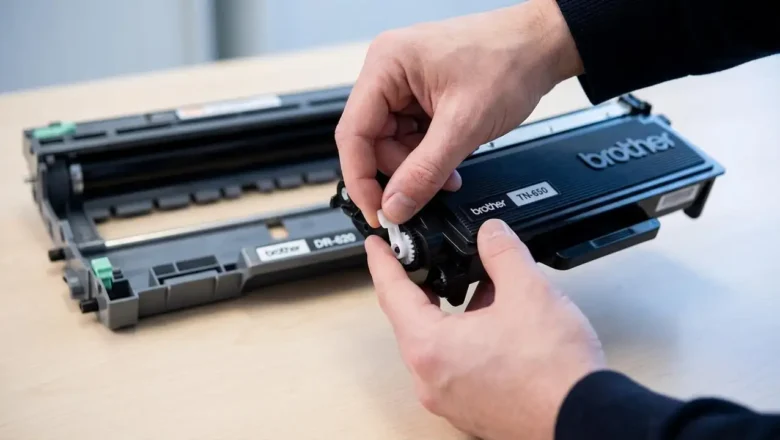
how to reset brother tn650 is the fix you’re looking for when your Brother printer keeps showing “Toner Low” (or even blocks printing with “Replace Toner”) even though you’ve got usable toner left, you’ve refilled the cartridge, or you installed a compatible TN-650. The good news: on many Brother models, you can manually reset the toner counter so the printer stops nagging and lets you print again. This guide covers the two reset paths that matter most: Printer-based toner reset (best for HL models that use a GO button and LEDs, like HL-5340D and HL-5370DW) Cartridge/gear reset (common on compatible or refilled TN-650 cartridges that include a reset gear/flag) Note: Resetting clears the printer’s estimate of toner usage. It does not magically add toner. If prints ar...
how to reset canon pixma mp250 cartridge: Fix “Ink Empty” & Cartridge Not Recognized

how to reset canon pixma mp250 cartridge: Fix “Ink Empty” & Cartridge Not Recognized

RESET PRINTER, REPAIR PRINTER
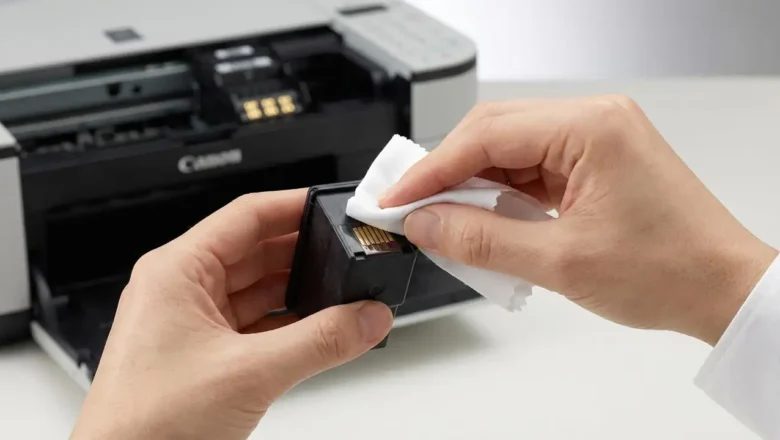
how to reset canon pixma mp250 cartridge is a common search when your Canon PIXMA MP250 refuses to recognize an ink cartridge, keeps showing an “Ink Empty” message after a refill, or throws cartridge installation errors even though everything looks correctly seated. The MP250 doesn’t “reset” the cartridge itself in the magical sense—what you usually do is reset/override the printer’s ink monitoring so it stops blocking printing based on the cartridge chip’s stored ink estimate. This guide gives you the clean, safe steps that actually work, explains what each reset does, and helps you avoid the #1 mistake that can damage print quality: printing with a truly empty cartridge. Why the Canon PIXMA MP250 stops recognizing cartridges The MP250 relies on ink monitoring (a chip + internal memo...
samsung scx-3200 reset counter: Fix “Replace Toner” and “Toner Exhausted

samsung scx-3200 reset counter: Fix “Replace Toner” and “Toner Exhausted

RESET PRINTER
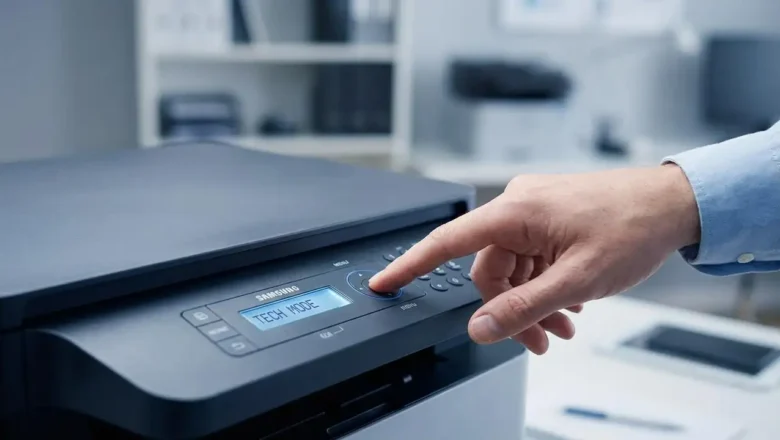
samsung scx-3200 reset counter is one of the most searched solutions when the printer keeps showing “Replace toner” or “Toner exhausted” even after you install a new cartridge or refill the old one. On many Samsung laser models, this alert is triggered by a built-in page counter (often stored on the cartridge chip), and sometimes it remains stuck due to a detection or firmware mismatch. The good news: you can usually resolve it with the right troubleshooting sequence, and in some cases, an official firmware update process can clear false warnings. This guide explains the safest ways to handle printer troubleshooting for the SCX-3200, when a resetting counter attempt makes sense, and how to avoid common mistakes that can waste time—or risk the device. Why the SCX-3200 shows “Toner exhau...
Samsung CLP-365w Drum Unit Reset — step-by-step guide (CLT-R406)

Samsung CLP-365w Drum Unit Reset — step-by-step guide (CLT-R406)

REPAIR PRINTER, RESET PRINTER
Samsung CLP-365w Drum Unit Reset — what it is and how it works Samsung CLP-365w Drum Unit Reset is the process of clearing the imaging unit’s page “odometer” so your printer can resume printing after it shows Replace/Prepare new imaging unit. The CLP-365w (and other models using the CLT-R406 imaging unit) tracks pages with a tiny fuse/“blow” circuit on the drum module. From the factory, the circuit presents low resistance; at first power-up, the printer detects that low value, resets the drum counter, and then blows the little fuse so it only “sees” a high resistance from that point forward and keeps counting. When the counter reaches its limit, printing stops even if the drum still looks fine. Resetting simply means recreating that new-unit low-resistance condition once—safely—so the pri...
Reset Samsung SCX 4300 — safe counter reset & chip guide

Reset Samsung SCX 4300 — safe counter reset & chip guide

RESET PRINTER
Reset Samsung SCX 4300 — what it is and when to use it Reset Samsung SCX 4300 is the fix many users look for right after refilling the toner and seeing the red light or “Replace/Install toner” messages even though there’s toner inside. The SCX-4300 platform uses a toner cartridge with a yield chip that tracks page counts. When that chip reports “end of life,” the printer can block printing until it detects a “fresh” supply. This guide walks you through the lowest-risk solutions first—chip replacement and stability checks—then explains the service-menu reset sequence that many technicians use on the SCX-4300, along with important cautions so you don’t brick your device. How the chip and counter actually work The printer looks at: The toner chip on the cartridge (stores a page ...
Reset Samsung scx 3400 — safe counter reset & chip guide

Reset Samsung scx 3400 — safe counter reset & chip guide

RESET PRINTER
Reset Samsung scx 3400 — what it means and the safest way to do it Reset Samsung scx 3400 is what many users search after refilling a cartridge and seeing a red/blinking light or “Replace/Install toner” messages even though there’s toner inside. The SCX-3400 platform uses a toner cartridge (MLT-D101S) with a yield chip. When that chip reports “end of life,” the printer can stop printing until it detects a “fresh” cartridge. This guide shows you the lowest-risk fixes first (chip replacement and official firmware refresh) and clearly flags the risks of any unofficial reset tools, so you don’t brick your machine. How the counter & chip work (why refilling alone isn’t enough) The printer tracks usage through a chip on the cartridge and internal counters. Yield ratings are...
Reset Samsung CLP 300 chip toner — safe EEPROM method (AT34C02/I²C)

Reset Samsung CLP 300 chip toner — safe EEPROM method (AT34C02/I²C)

RESET PRINTER
Reset Samsung CLP 300 chip toner — know the EEPROM and the safe way to proceed Reset Samsung CLP 300 chip toner is about understanding that each CLP-300 color cartridge (K/C/M/Y) carries a tiny EEPROM the printer updates as you print. That memory (commonly AT34C02 / 24C02-class, I²C protocol) stores page counts and a simple serial number. When the stored budget is reached, the printer treats the cartridge as “empty” even if you’ve just refilled the toner. This guide explains how the chip works, what tools are used to read/backup/edit its contents, and the safest sequence to follow—plus the limits (burnt/locked chips), and when to choose a replacement chip instead. What this chip is (and isn’t) Type & protocol: AT34C02-family (roughly equivalent to 24C02), 2-Kbit I²C EEPROM. ...
Reset Counter Xerox Phaser 3250 — safe, working methods

Reset Counter Xerox Phaser 3250 — safe, working methods

RESET PRINTER
Reset Counter Xerox Phaser 3250 — what it is and when to use it Reset Counter Xerox Phaser 3250 is what many users look for after refilling the cartridge when the printer still shows a red/blinking light or refuses to print because the page counter or cartridge chip reports “end of life.” This guide explains how the counter and chip work, the lowest-risk fixes you should try first, and what to avoid so you don’t brick the device. How the counter and chip actually work The Phaser 3250 uses a toner cartridge with a yield chip (commonly 106R01374 for standard toner). The printer tracks pages through this chip and internal counters. At around 5,000–5,500 pages at 5% coverage (typical office text), the chip reports “spent” and the device can block printing—even if you physically refilled t...
Reset counter Samsung scx-4600 — safe guide

Reset counter Samsung scx-4600 — safe guide

RESET PRINTER
Reset counter Samsung scx-4600 — what it is and how to do it safely Reset counter Samsung scx-4600 is the task you face when the printer’s red light blinks after a refill and the machine refuses to print because the page counter or cartridge chip says “end of life.” This guide explains what the counter does, why the chip matters, and the safest, most reliable ways to get your Samsung SCX-4600 printing again—starting with low-risk methods and ending with cautions about unofficial tools. How the counter and chip work The SCX-4600 tracks toner life in two ways: a page counter inside the printer and a chip on the cartridge. If either reports “spent,” the device can block printing even if there’s toner in the hopper. Page yields (often quoted as 2,500–3,500 pages at 5% coverage) are estima...
Reset Samsung ML-1660/ML-1665 Printer — reliable counter reset & troubleshooting guide

Reset Samsung ML-1660/ML-1665 Printer — reliable counter reset & troubleshooting guide

RESET PRINTER
Reset Samsung ML-1660/ML-1665 Printer — what it means and when to use it Reset Samsung ML-1660/ML-1665 Printer is a frequent search when the toner light turns red after a refill and the printer refuses to print even though there’s clearly toner in the cartridge. This guide explains how the page counter and cartridge chip work, what your safe, supported options are, and the escalating troubleshooting path to get your ML-1660/ML-1665 working again—with strong caution around any unofficial firmware patches. Why the printer blocks after a refill Samsung ML-16xx devices track usage by page counter and by the cartridge chip. When the chip reports “end-of-life” or the counter exceeds a threshold, the printer can stop printing and keep the LED solid or blinking red—even if you physically refi...
🚫
AdBlock Detected!
It looks like you're using an AdBlock extension.
Ads help us provide free, high-quality content.
Please disable your AdBlocker for this website and refresh the page.

How to disable AdBlock:

  1. Click the AdBlock icon in your browser toolbar.
  2. Select "Don't run on this site" or "Pause on this site".
  3. Reload the page using the button below or press F5.
  4. If you still see this message, try temporarily disabling all ad-blocking extensions.