web analytics
Shadow
Xerox Phaser 3100 MFP bourrage paper

Xerox Phaser 3100 MFP bourrage paper

Blog, REPAIR PRINTER
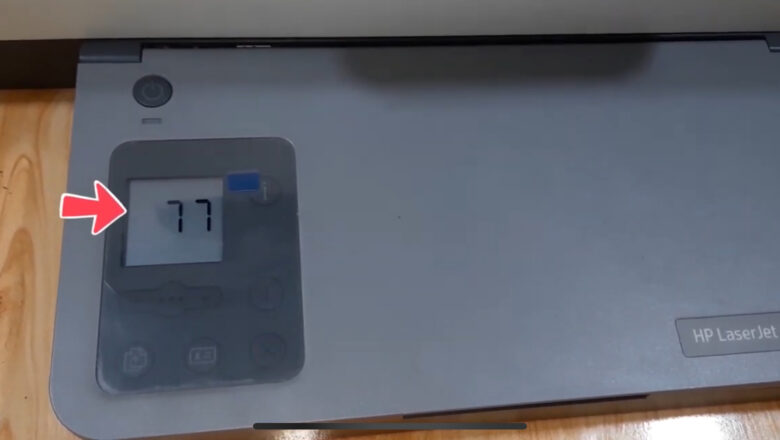
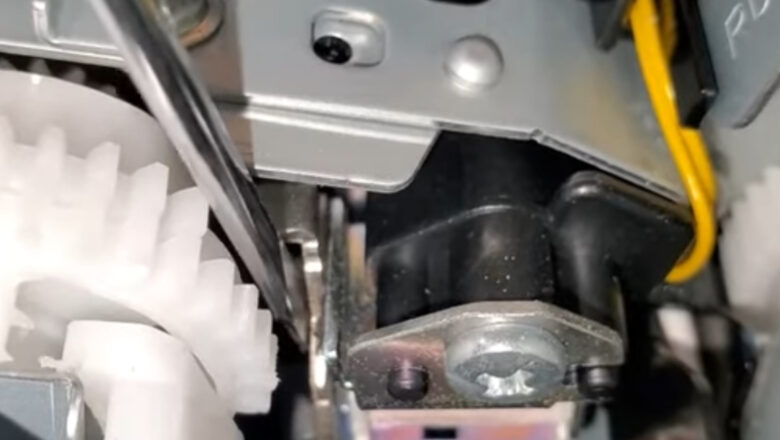
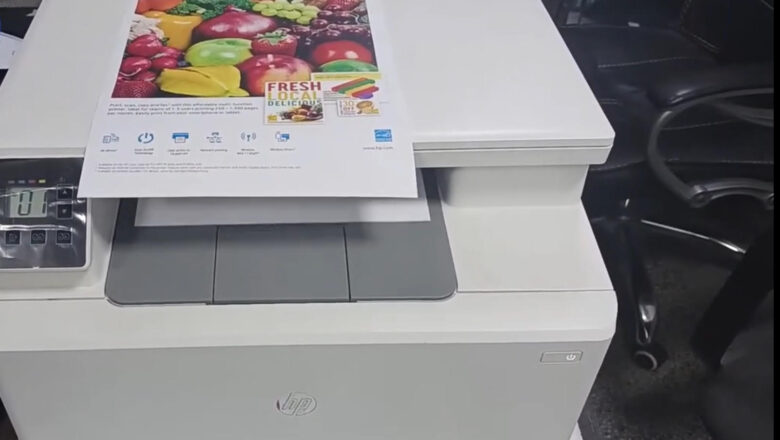
Take out the paper tray and check if the paper pickup roller is in motion or not. Initiate the printing of the document and inspect the MFP from the underside. Once the document is sent for printing, the clutch on the paper feed roller axle is supposed to activate, causing the roller to rotate. However, in this scenario, that doesn't occur, and the roller remains stationary. Moreover, the device fails to recognize the absence of paper. We removed the tray, expecting it to be indicated. Let's try printing using manual paper feed. We insert the sheet and send the document for printing. The printer is printing. The issue lies with the manual paper feed sensor. Open the front cover and take out the cartridge. Locate the sensor beneath the metal roller, as depicted in the ph...
Resetting ink counters on Brother inkjet printers

Resetting ink counters on Brother inkjet printers

Blog, REPAIR PRINTER, RESET PRINTER
  Procedure for DCP-110C, DCP-115C, DCP-116C, DCP-117C, DCP-120C, DCP-153C, DCP-195C, DCP-310CN, DCP-315CN, DCP-340CW, DCP-350C, DCP- 353C, DCP-560CN: 1. Turn on the machine. 2. Press, successively, ‘Menu’, ‘Mono On’, ‘Menu’, ‘Mono On’ in less than 5 seconds. 3. “│MAINTENANCE 10│” is then displayed. 4. With the up (▲) or down (▼) keys, display “80” and validate with “Menu” or “OK” 5. Press the ‘Mono Start’ button several times until the message “PURGE: 06400” is displayed. (Usually, The value exceeds 6400) 6. To reset the counter to "00000", you must enter the value "2783": successively display the numbers 2,7,8 and 3 with the (▲) or (▼) keys and confirm with the "OK" key each time. times. 7. To exit, press ‘Stop/Exit’ key. 8. Unplug the power cable from the machine for 5 seconds t...
Mastering the Art of Resetting the Smart Chip in a Lexmark Cartridge

Mastering the Art of Resetting the Smart Chip in a Lexmark Cartridge

Blog, RESET PRINTER
Lexmark printers are known for their reliability and top-notch printing quality. However, to maintain this performance, Lexmark uses smart chips in their ink cartridges. These chips communicate with the printer to monitor ink levels and ensure the quality of your prints. Sometimes, you may want to reset these smart chips, particularly if you've refilled a cartridge or encountered an error message. In this guide, we'll explore how to reset the smart chip in a Lexmark cartridge, helping you get the most out of your printer. Understanding Lexmark Smart Chips Smart chips in Lexmark cartridges serve several essential functions: Ink Monitoring: They track the ink levels in the cartridge, ensuring you know when it's time to replace or refill the cartridge. Quality Assurance: Smart chips...
Mastering the Art of Resetting Ink Levels in Epson L-Series Printers

Mastering the Art of Resetting Ink Levels in Epson L-Series Printers

Blog, RESET PRINTER, resetter software
Epson L-series printers are renowned for their cost-effective printing solutions and high-quality results. However, like all inkjet printers, they require ink cartridges to operate. Over time, these cartridges can run low on ink or even display empty status, causing interruptions in your printing tasks. In this article, we'll explore the art of resetting ink levels in popular Epson L-series models like L100, L200, L110, L210, L300, L350, L550, and Epson L800. Understanding the Epson Ink System Epson L-series printers utilize an innovative ink tank system that differs from traditional inkjet cartridges. Instead of replacing the entire cartridge, users fill refillable ink tanks when they run low on ink. Each printer model in the L-series has specific ink tanks for various colors, such as b...
Essential Equipment for Printer Repair: Tools of the Trade

Essential Equipment for Printer Repair: Tools of the Trade

Blog, REPAIR PRINTER
When your trusty printer starts acting up, there's no need to panic. With the right equipment and a bit of know-how, many printer issues can be resolved without the help of a professional technician. In this article, we'll explore the essential equipment for repairing printers, providing you with a handy guide to tackle common printer problems like a pro. 1. Screwdriver Set: A good set of screwdrivers is a fundamental tool for any printer repair job. Printers are often held together with various types and sizes of screws. A screwdriver set with both flathead and Phillips head options will ensure you're prepared for any disassembly or reassembly. 2. Multimeter: A multimeter is a versatile device used to measure electrical voltage, current, and resistance. It's invaluable for diagnosing ...
Unveiling the Essentials: The Components of Toner Powder

Unveiling the Essentials: The Components of Toner Powder

Blog, REFILL TONER
In the world of modern printing, where crisp documents and vibrant images are in high demand, the role of toner powder cannot be overstated. Whether you're printing that crucial business proposal or capturing cherished memories in a family photo album, understanding the components of toner powder is key to appreciating its importance in the printing process. In this article, we'll take a closer look at the fascinating world of toner powder and the essential components that make it an indispensable part of laser printing. The Toner Powder Primer Toner powder is the ink of laser printers. Unlike traditional inkjet printing, where liquid ink is used, laser printers employ toner powder, a dry, fine substance that plays a pivotal role in creating the text and images on your printed pages. Th...
Thermal Printing Explained: Types, Uses, and Benefits

Thermal Printing Explained: Types, Uses, and Benefits

Blog
Thermal Printing Explained: How It Works, Types, Uses, and Benefits Thermal printing is one of the most important printing technologies used in modern business, even though many people do not notice it. From retail receipts and shipping labels to hospital wristbands and barcode stickers, thermal printing is everywhere. It plays a major role in industries that need fast, clear, and reliable printing without the mess and cost of traditional ink or toner systems. If you have ever received a store receipt, printed a courier label, or seen a barcode tag on a product, there is a good chance it was created using thermal printing. Its speed, simplicity, and low maintenance make it a practical choice for businesses that print large volumes every day. What Is Thermal Printing? Thermal printing...
How to Fill Printer Ink the Easy Way

How to Fill Printer Ink the Easy Way

Blog, REFILL TONER
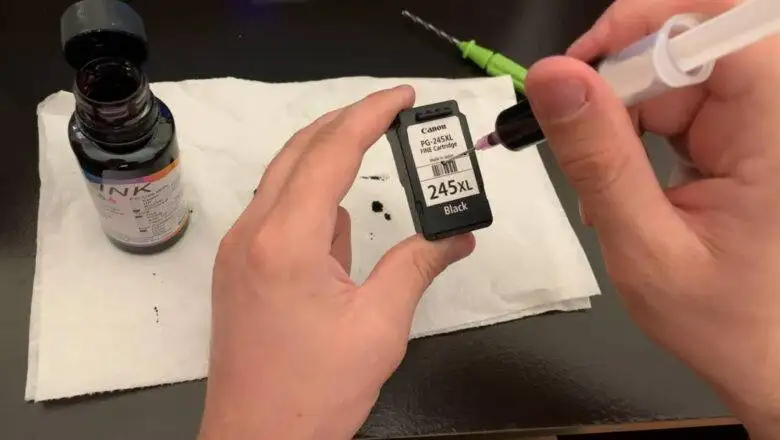
How to Fill Printer Ink the Easy Way Learning how to fill printer ink sounds simple, but many people get confused because not all printers use the same system. Some printers use refillable ink tanks, while others use cartridges that are usually replaced instead of manually refilled. That is why the easiest and safest method depends on the type of printer you have. If you want to know how to fill printer ink without making a mess or damaging the printer, the first step is to identify whether your printer uses ink bottles, refill tanks, or standard cartridges. Once you know that, the process becomes much easier and far less stressful. Before You Start, Check Your Printer Type The most important step in how to fill printer ink is knowing what kind of printer you own. This matters becaus...
Epson Printer Company: History, Growth, and Success

Epson Printer Company: History, Growth, and Success

Blog
Why the Epson Printer Company Became a Global Leader in Printing The Epson printer company is widely seen as one of the most influential names in modern printing. While calling any one brand the single “most successful” printer company is hard to prove objectively, Epson has clearly earned a leading place in the industry through a long history of technical innovation, strong product development, and a major global presence. Its path from precision manufacturing in Japan to worldwide recognition in printing is one of the most important stories in the industry. The early roots of Epson The story behind the Epson printer company begins in Japan. Epson traces its roots to Daiwa Kogyo, Ltd., founded in 1942, and later to Suwa Seikosha, a company involved in precision manufacturing. A major...
Printing For Profit: The Intriguing History of Counterfeiting Money

Printing For Profit: The Intriguing History of Counterfeiting Money

Blog
Counterfeiting money is a practice as old as money itself. Throughout history, counterfeiters have employed increasingly sophisticated techniques, and the advent of printers ushered in a new era of counterfeit currency production. Let's delve into the fascinating history of counterfeiting money with printers. Ancient Origins Counterfeiting predates the invention of the printing press. In ancient times, counterfeiters would manually replicate coins, a labor-intensive process that required skill in metalwork. The introduction of paper money in China during the Tang Dynasty (618–907 AD) provided new opportunities for counterfeiters, although hand-crafted reproductions remained the norm. The Printing Press Revolution The printing press, invented by Johannes Gutenberg in the 15th century, h...