
web analytics
Shadow

Tag: Printer Not Printing

Clear the Printer Spooler: Fast Fixes That Work

Clear the Printer Spooler: Fast Fixes That Work

REPAIR PRINTER
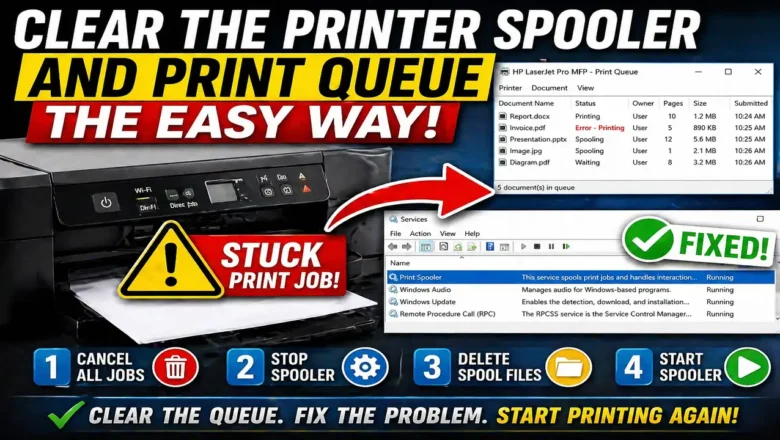
Clear the Printer Spooler and Print Queue the Easy Way If you need to clear the printer spooler, it usually means one thing: a print job is stuck, the queue is frozen, or your printer has stopped responding even though it still appears online. This is one of the most common printer problems on Windows, and it can make printing fail completely until the blocked jobs are removed. The good news is that learning how to clear the printer spooler is not difficult. In many cases, you can fix the problem in a few minutes by canceling stuck jobs, restarting the Print Spooler service, and removing the files trapped in the print queue. Once that is done, the printer often starts working normally again. What the printer spooler actually does Before you try to clear the printer spooler, it helps ...
Printer Not Printing: 10 Fixes

Printer Not Printing: 10 Fixes

Blog, REPAIR PRINTER
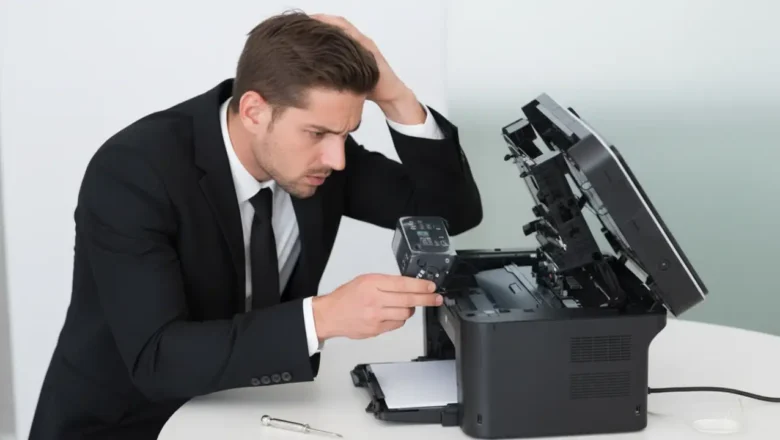
Printer Not Printing: 10 Essential Fixes Stop frustrating print job errors and get your documents out with these straightforward troubleshooting steps. It’s a common, infuriating problem: you hit print, but nothing happens. Your printer remains stubbornly silent, or perhaps it displays an error message you don’t understand. Whether you're facing a blank page, a blinking light, or just a complete lack of response, a printer not printing can halt your workflow. This guide will walk you through ten essential checks and fixes that can resolve most common printing issues without needing a technician. We’ll cover everything from basic connections to software glitches, empowering you to get your printer back online. Verify Power and Physical Connections The most common reason a printer not ...