HP Photosmart C4780 Compatible Cartridges Not Working: What to Do
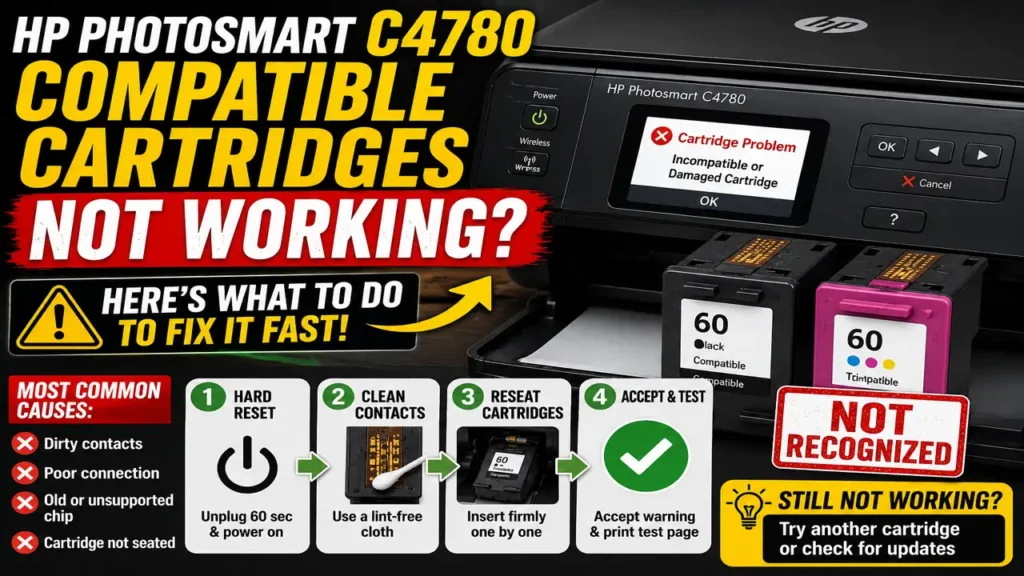
If your HP Photosmart C4780 compatible cartridges not working problem started suddenly, the printer is usually failing to read the cartridge correctly rather than running out of ink. This often shows up after installing a compatible or remanufactured cartridge, especially when the printer displays an incompatibility message, a cartridge problem warning, or refuses to print even though the cartridge is physically fine.
The good news is that this issue is often fixable without replacing the printer. In many cases, the real cause is dirty electrical contacts, a cartridge that is not seated perfectly, a weak chip connection, or a cartridge version the printer no longer accepts properly. The right fix is to start simple and move in the safest order.
Why HP Photosmart C4780 compatible cartridges not working happens
When HP Photosmart C4780 compatible cartridges not working becomes the issue, the printer is usually reacting to cartridge identification, not just ink level. The C4780 checks whether it can communicate correctly with the cartridge through its contact points and chip area. If that communication fails, the printer may treat the cartridge as incompatible, damaged, or unreadable.
This is why a cartridge can be full and still not work. The printer may not be saying there is no ink. It may be saying it does not trust what it is reading from the cartridge.
That is also why the problem can seem worse after recent changes. A cartridge that worked before may suddenly stop being accepted if the contacts become dirty, the fit shifts slightly, or the cartridge chip is older than the recognition behavior the printer expects.
Start with a full hard reset
The first step for HP Photosmart C4780 compatible cartridges not working is a full hard reset. This is not just a quick power button restart. You want the printer to clear its temporary error state completely.
Turn the printer on, disconnect the power cord from the back of the printer, then unplug the other end from the wall. Wait about 60 seconds before reconnecting the cord directly to the wall and then back to the printer. After the printer powers up again, check whether the cartridge message changes or disappears.
This matters because the printer can sometimes hold the fault in memory even after you remove and reinstall the cartridge. A full reset gives you a cleaner starting point before deeper troubleshooting.
Clean the cartridge contacts carefully
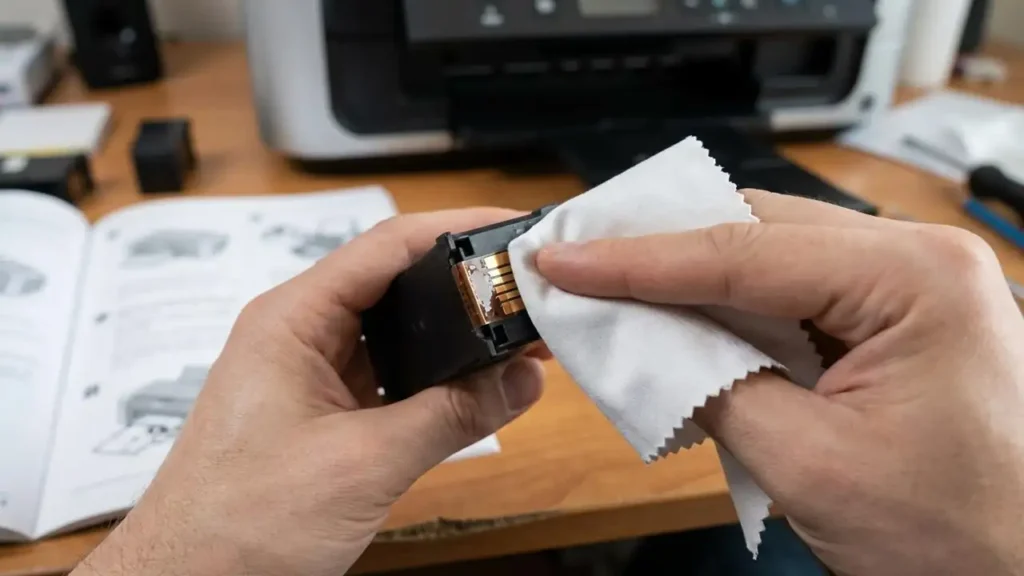
Dirty contacts are one of the most common reasons for HP Photosmart C4780 compatible cartridges not working. Compatible and remanufactured cartridges are often more sensitive to contact quality because the fit and chip behavior may be slightly less forgiving than with an original cartridge.
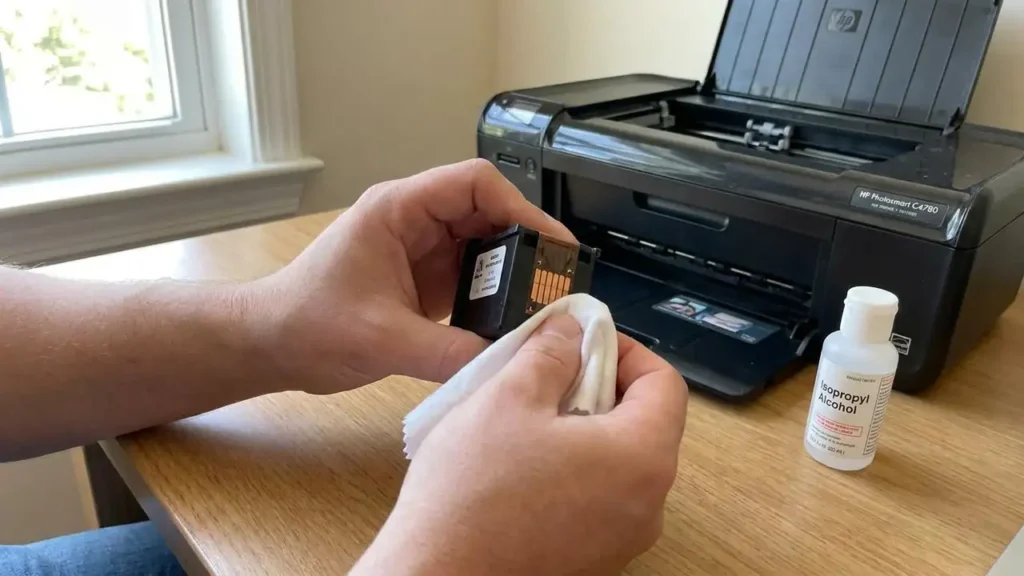
Remove the cartridges and inspect the copper-colored contact area on both the cartridge and the carriage inside the printer. If you see ink residue, dust, or fingerprints, clean them gently with a lint-free cloth that is only slightly dampened. After cleaning, let everything dry fully before reinstalling the cartridges.
This step is important because even a small contact problem can make the printer think the cartridge is unreadable or not genuine enough to continue. A good electrical connection matters more here than many users expect.
Reseat the cartridges properly
If HP Photosmart C4780 compatible cartridges not working continues after cleaning, the next step is to remove both cartridges and reinstall them one at a time. Make sure each one clicks firmly into the correct slot.
This is worth doing slowly. A cartridge that looks installed may still sit just slightly off enough to cause a chip-read failure. Reinstall the black cartridge first, close the lid, and see whether the printer accepts it. Then repeat with the color cartridge.
This one-by-one method is useful because it helps isolate which cartridge is triggering the problem. If one cartridge is accepted and the other causes the error, you now know where the real issue is.
Try bypassing the warning if the printer allows it
Sometimes HP Photosmart C4780 compatible cartridges not working does not mean the printer is permanently blocked. It may simply warn you that a non-HP or incompatible cartridge is installed and still allow printing if you confirm the message.
If the printer gives you an option like OK, Yes, or Continue, accept it and try a simple test page. This is especially useful when the printer is not truly rejecting the cartridge but only warning about it.
This distinction matters because some users assume every non-HP warning means complete failure. In practice, some warnings are only alerts, while others are full stops.
Check whether the cartridge itself is the problem
If the printer keeps rejecting the same compatible cartridge after reset, cleaning, and reseating, then the cartridge itself becomes the strongest suspect. This is especially true when only one cartridge causes the fault.
A remanufactured or compatible cartridge may have:
- an older chip
- a weak electrical contact surface
- a slightly poor fit
- a damaged vent
- an internal defect
At that point, the fastest test is often to try another cartridge from a different batch or supplier. If a second cartridge works immediately, the original one was likely the real problem.
That is why HP Photosmart C4780 compatible cartridges not working is sometimes not really about the printer at all. It can simply be a poor compatible cartridge.
What about firmware and updates?
Some users suspect firmware when HP Photosmart C4780 compatible cartridges not working begins suddenly, especially after software changes. That idea is understandable, but on an older model like the Photosmart C4780, the safer approach is not to jump immediately into firmware blame.
First solve the likely causes:
- reset the printer
- clean the contacts
- reseat the cartridges
- test one cartridge at a time
- try another compatible cartridge if needed
Firmware becomes more relevant only if the printer behaves unusually in general, not just with one cartridge. In most cases, the simpler cartridge-side fixes should come first.
Should you disable cartridge protection?
For this model, the smarter approach is to avoid building your troubleshooting around cartridge protection settings. The more practical issue with HP Photosmart C4780 compatible cartridges not working is usually contact quality, chip recognition, cartridge fit, or cartridge quality itself.
So rather than chasing protection features first, focus on the real hardware and communication path between the cartridge and the printer.
The most reliable long-term fix
If HP Photosmart C4780 compatible cartridges not working keeps happening with the same seller or cartridge type, the most reliable long-term fix is usually one of these:
- switch to a better-quality compatible cartridge supplier
- replace the problem cartridge with a newer chip revision
- use an original cartridge if repeated compatibility issues keep wasting time
This is not the answer people always want, but it is often the most honest one. If the printer consistently rejects one type of cartridge, repeatedly forcing the same brand may waste more money than replacing it with a better alternative.
Frequently Asked Questions
If you are facing HP Photosmart C4780 compatible cartridges not working, the smartest path is to stay simple first. Hard reset the printer, clean the contacts, reinstall the cartridges carefully, and test them one at a time. In many cases, that is enough to restore printing. If not, the cartridge itself is usually the real problem rather than the printer as a whole.