web analytics
Shadow

REPAIR PRINTER

Samsung CLP-365w Drum Unit Reset — step-by-step guide (CLT-R406)

Samsung CLP-365w Drum Unit Reset — step-by-step guide (CLT-R406)

REPAIR PRINTER, RESET PRINTER
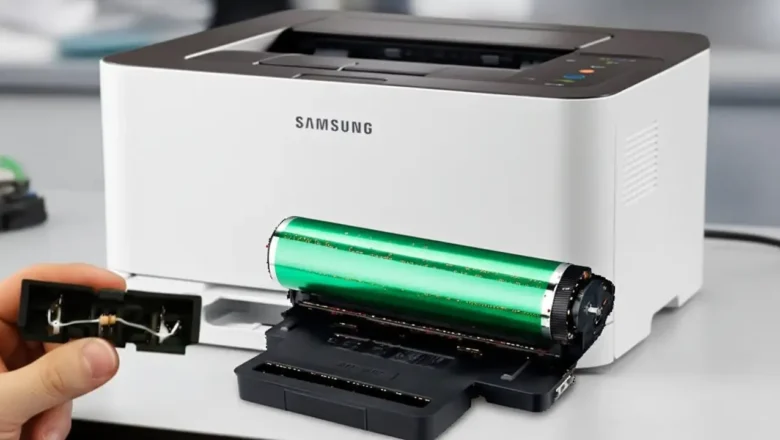
Samsung CLP-365w Drum Unit Reset — what it is and how it works Samsung CLP-365w Drum Unit Reset is the process of clearing the imaging unit’s page “odometer” so your printer can resume printing after it shows Replace/Prepare new imaging unit. The CLP-365w (and other models using the CLT-R406 imaging unit) tracks pages with a tiny fuse/“blow” circuit on the drum module. From the factory, the circuit presents low resistance; at first power-up, the printer detects that low value, resets the drum counter, and then blows the little fuse so it only “sees” a high resistance from that point forward and keeps counting. When the counter reaches its limit, printing stops even if the drum still looks fine. Resetting simply means recreating that new-unit low-resistance condition once—safely—so the pri...
HP LaserJet M1522nf Fix Crash: 3 Real Steps (Stop Baking)

HP LaserJet M1522nf Fix Crash: 3 Real Steps (Stop Baking)

REPAIR PRINTER
An HP LaserJet M1522nf fix crash scenario, characterized by the printer freezing infinitely on the "Initializing..." screen or experiencing continuous reboot loops, is rarely a simple firmware glitch. This specific mechanical lockout stems directly from the thermal degradation of the main ASIC's BGA (Ball Grid Array) solder joints located on the formatter board. Many outdated guides suggest placing your motherboard in a kitchen oven to "bake" the solder back into place. This is a destructive myth that melts plastic connectors and ruptures electrolytic capacitors. This technical diagnostic manual outlines the exact hardware protocols, physical BGA pressure tests, and NVRAM resets required to bypass the boot-loop permanently, without destroying your hardware. Decoding the Infinite "Initi...
Fuser Error HP P2015: 3 Proven Fixes (Stop Buying Parts)

Fuser Error HP P2015: 3 Proven Fixes (Stop Buying Parts)

REPAIR PRINTER
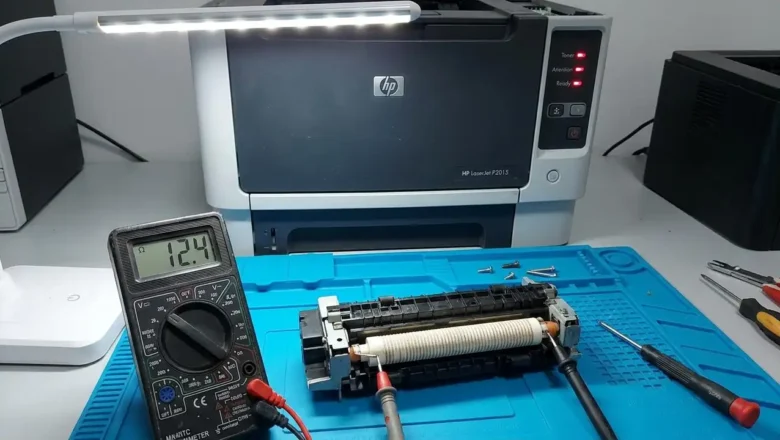
A fuser error HP p2015 triggers a hard system halt, typically indicated by a "Fatal Error" light sequence on the physical control panel (all LEDs illuminated solid). Because the HP LaserJet P2015 lacks an LCD screen, users often blindly replace the entire fuser unit. However, if you query the HP Toolbox utility or print an event log, this fatal error breaks down into specific sub-codes: 60 (Open Heat), 62 (Low Heat), or 68 (Overheat). Replacing the RM1-4247 (110V) or RM1-4248 (220V) assembly without diagnosing the underlying electrical fault is a waste of resources. A runaway triac on the DC controller will instantly destroy a brand-new fuser, while a simple dirty thermistor can trigger a false failure. This technical diagnostic manual provides the exact multimeter testing protocols and ...