
web analytics
Shadow

Tag: hp

How to Improve Print Quality on HP Color Pro MFP M182n

How to Improve Print Quality on HP Color Pro MFP M182n

REPAIR PRINTER
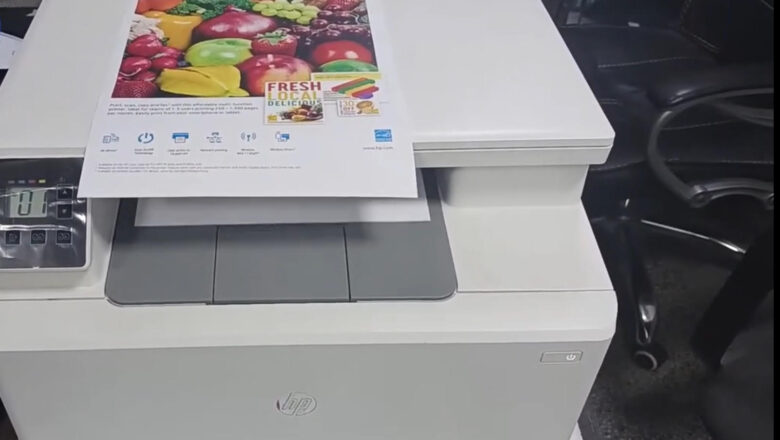
Today, we will delve into a detailed guide on enhancing the print quality of your HP Color LaserJet Pro MFP M182n printer. By following the steps outlined below, you can ensure that your prints are crisp and vibrant, just as you desire. Cleaning the Laser Unit for Optimal Print Quality To start off, we need to address the issue of light print, which often stems from a dusty laser unit. By carefully disassembling the laser unit and cleaning it with a soft cloth, such as pure cotton or velvet, you can eliminate any debris that may be hindering the print quality. Cleaning the Glasses for Individual Color Precision Next, it's crucial to clean the four types of glasses ,black, cyan, magenta, and yellow ,to ensure accurate color representation in your prints. Pay attention to the...
How to refill toner cartridge hp 12a: 5 Proven Pin Steps

How to refill toner cartridge hp 12a: 5 Proven Pin Steps

REFILL TONER
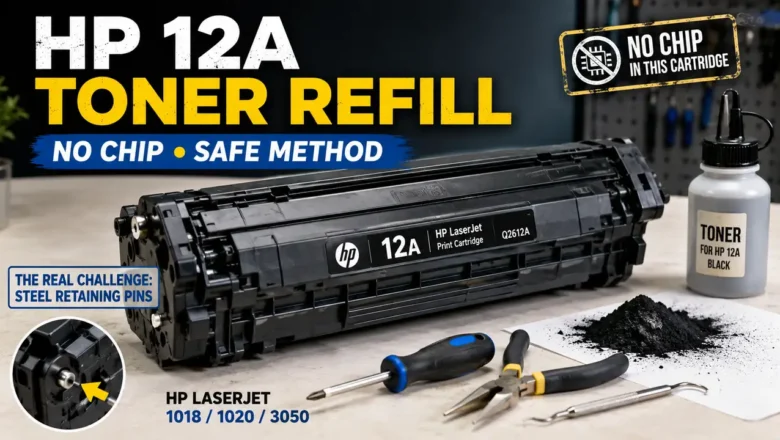
How to refill toner cartridge hp 12a is a process surrounded by catastrophic DIY mistakes and widespread internet misinformation. The most glaring myth found in generic guides is the instruction to "replace the EEPROM tracking chip." The truth is absolute: The HP Q2612A (12A) is a purely mechanical, analog cartridge. It does not possess a smart chip. The true challenge of servicing this legendary cartridge—compatible with the HP LaserJet 1018, 1020, and 3050 series—lies in its dual-chassis architecture. The two halves of the cartridge are locked together by embedded steel retaining pins. Attempting to hammer these pins inward will shatter the plastic shell, permanently destroying the unit. This technical engineering manual outlines the precise "inside-out" pin extraction protocol, the che...
HP LaserJet M1522nf Fix Crash: 3 Real Steps (Stop Baking)

HP LaserJet M1522nf Fix Crash: 3 Real Steps (Stop Baking)

REPAIR PRINTER
An HP LaserJet M1522nf fix crash scenario, characterized by the printer freezing infinitely on the "Initializing..." screen or experiencing continuous reboot loops, is rarely a simple firmware glitch. This specific mechanical lockout stems directly from the thermal degradation of the main ASIC's BGA (Ball Grid Array) solder joints located on the formatter board. Many outdated guides suggest placing your motherboard in a kitchen oven to "bake" the solder back into place. This is a destructive myth that melts plastic connectors and ruptures electrolytic capacitors. This technical diagnostic manual outlines the exact hardware protocols, physical BGA pressure tests, and NVRAM resets required to bypass the boot-loop permanently, without destroying your hardware. Decoding the Infinite "Initi...